Overview
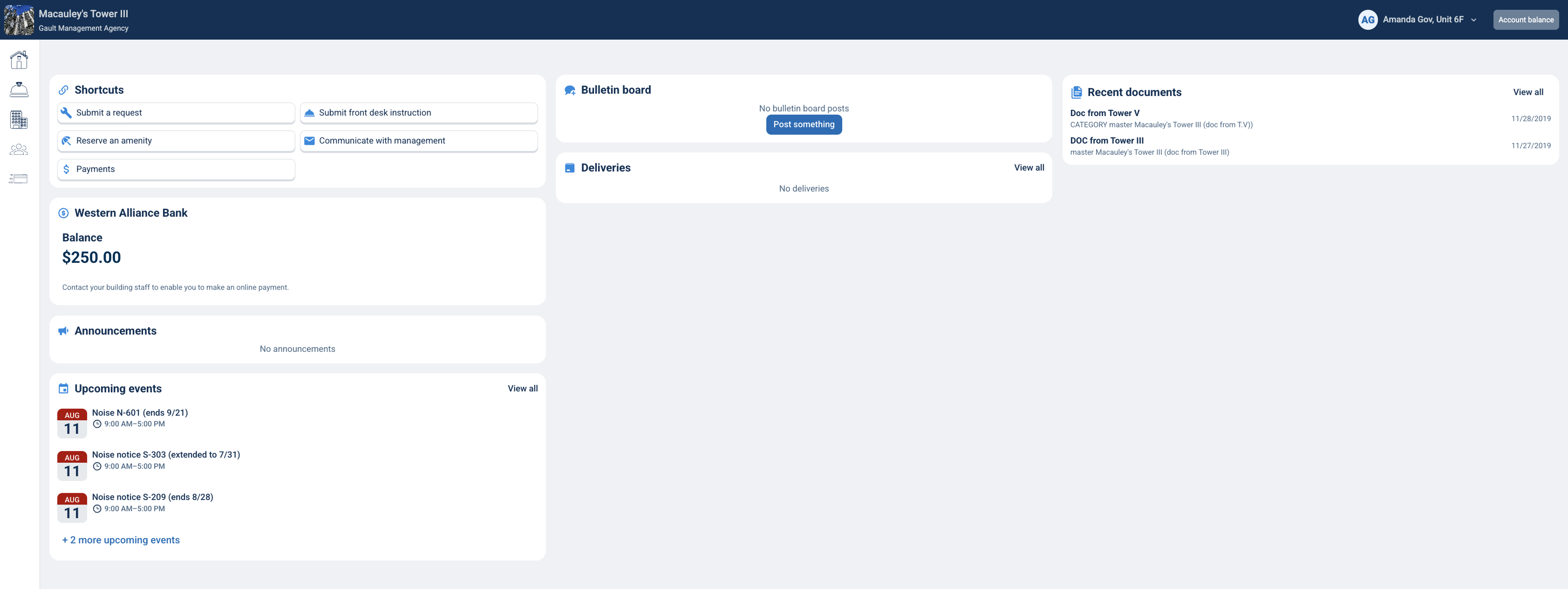
If your property uses the Western Alliance Bank integration, you can use the Western Alliance Bank widget on your BuildingLink home screen to view your current balance and make a payment, whether you are using the resident website or the BuildingLink app. Your balance may take up to 24 hours to update after a payment is made.
For any questions related to your account balance, please contact your property management.
For any issues related to using the Western Alliance Bank site, please contact Western Alliance Bank.
Note: Click on the images to enlarge them.
Table of Contents
Using the Resident Website
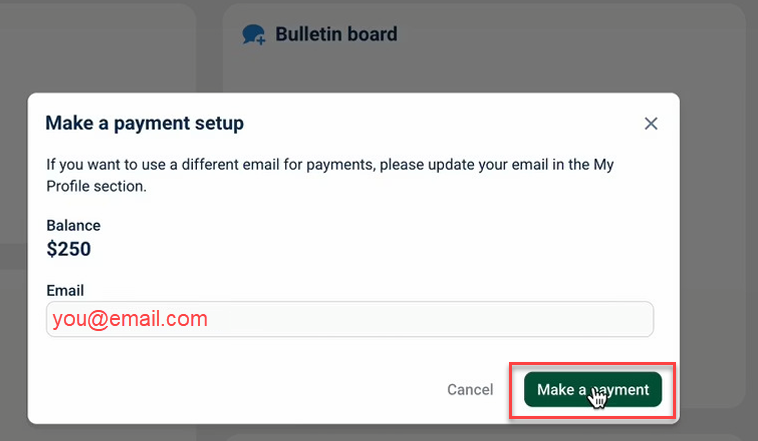
The Western Alliance Bank widget appears on your Resident Portal home screen and shows your current balance. Clicking Make a Payment opens the payment setup window, where you can confirm the email address your payment notices will be sent to. If you would like to use a different email, update it first in My Profile.
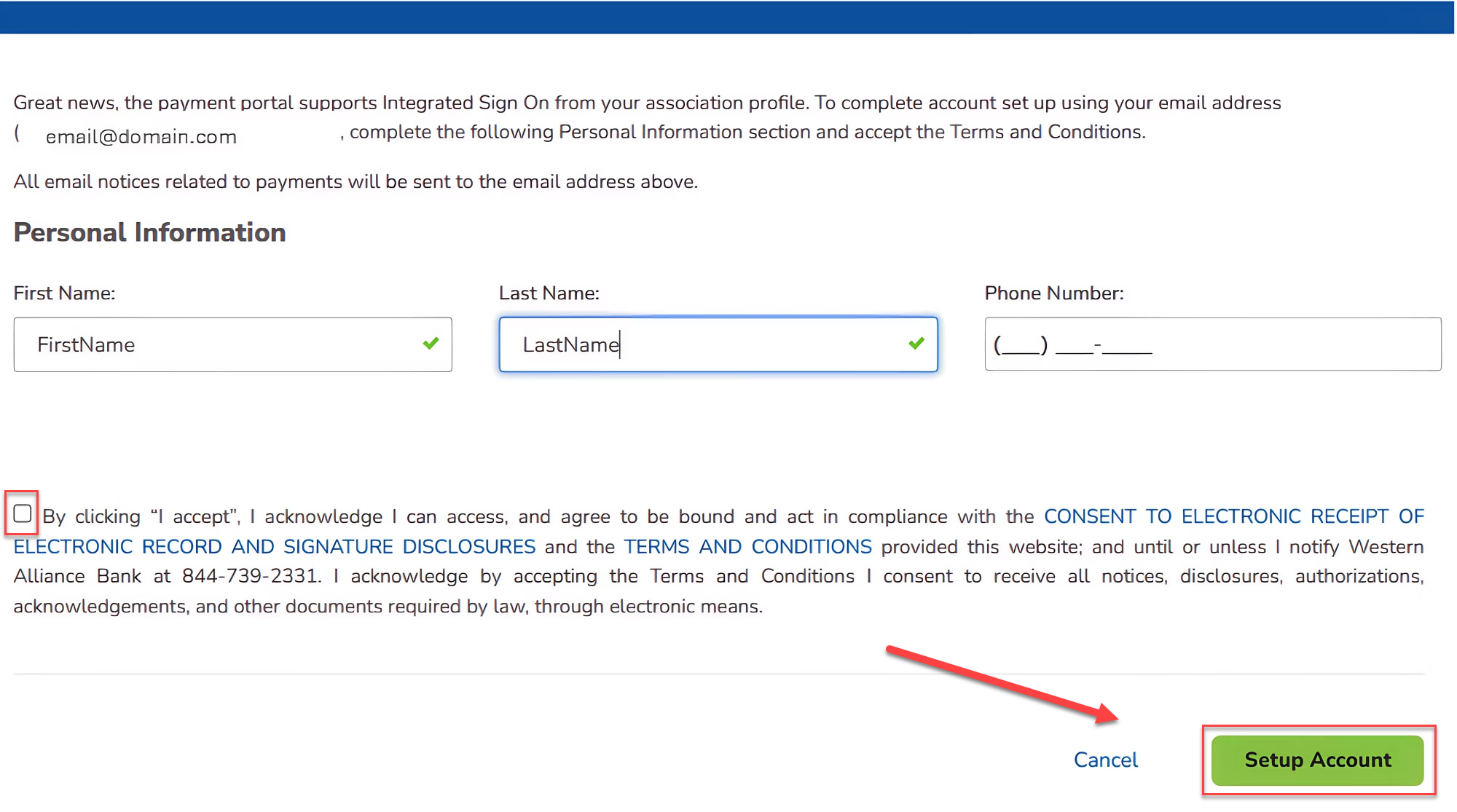
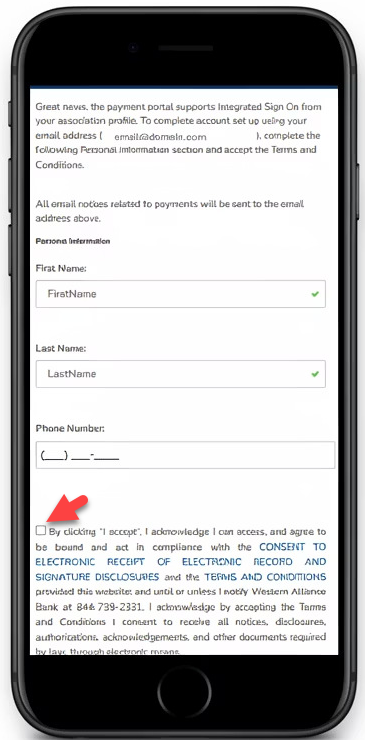
If this is your first time setting up your account, your email address will already be filled in. Add your first name, last name, and phone number, then accept the Terms and Conditions and click Setup Account to activate your account.
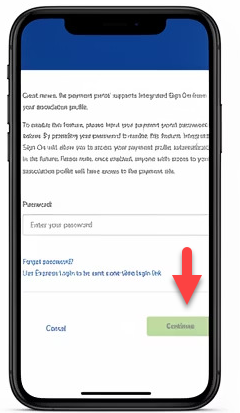
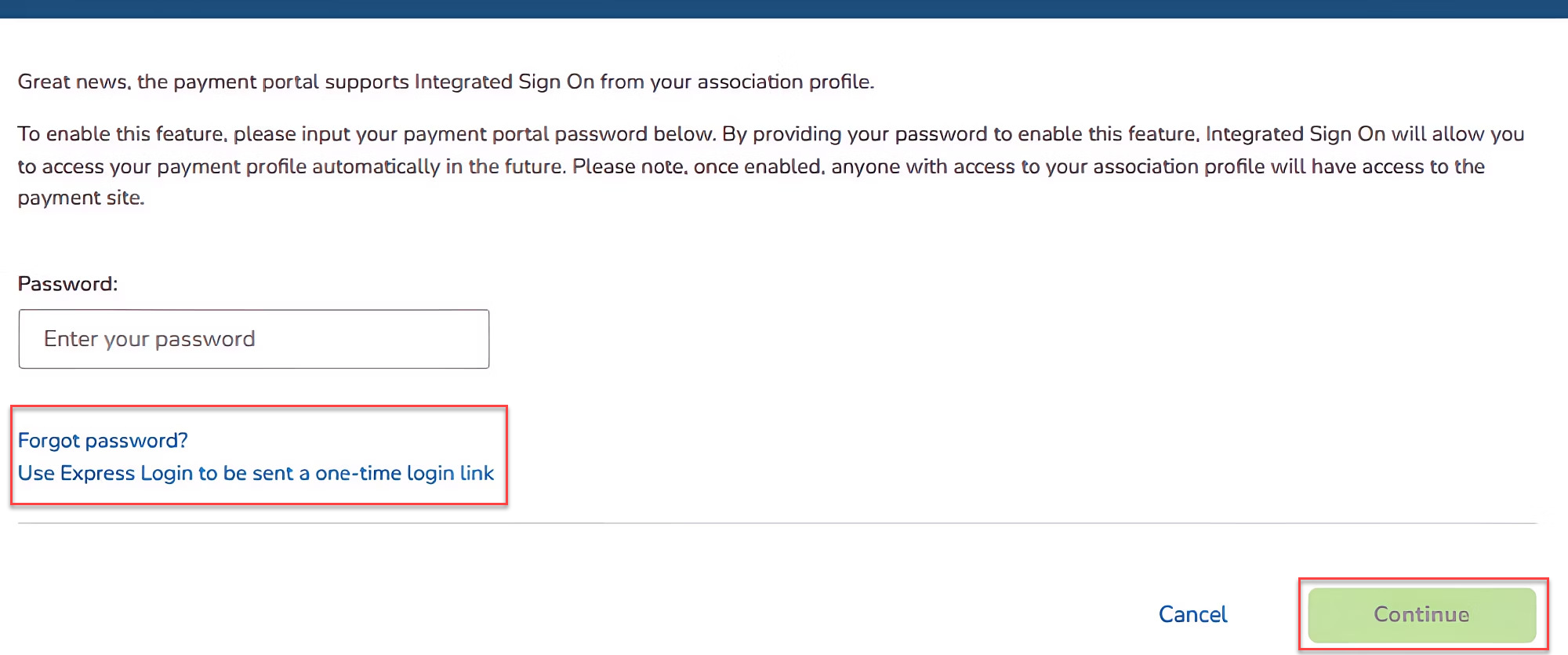
If you already have a Western Alliance Bank account, you will be asked to enter your existing password once and click Continue to link your account to your BuildingLink profile.
After this one-time step is complete, you will be signed in automatically on future visits. If you have forgotten your password, you can use Forgot Password or Express Login to receive a one-time login link by email.
Once your account is set up, clicking Make a Payment again will bring you to the secure Western Alliance Bank page to complete your payment.
Using the Resident App
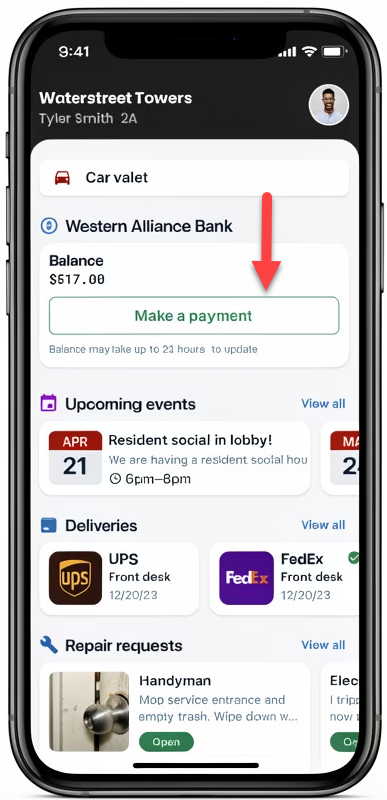
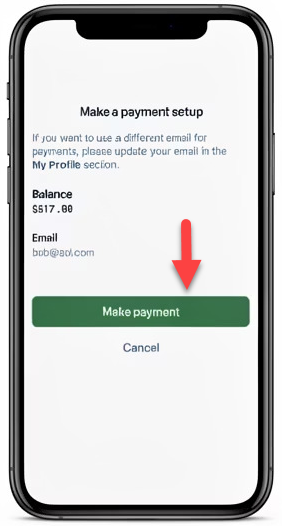
The Western Alliance Bank widget also appears on your home dashboard in the BuildingLink app and shows your current balance. Tapping Make a Payment opens the payment setup screen, where you can confirm the email address your payment notices will be sent to, or update it in My Profile first.
If this is your first time setting up your account, fill in your first name, last name, and phone number, then accept the Terms and Conditions.
If you already have a Western Alliance Bank account, enter your existing password once to link your accounts. After this one-time step, you will be signed in automatically every time you visit.
Once your account is set up, tapping Make a Payment again will route you to the secure Western Alliance Bank landing page to complete your payment.