Note: This article is for the newly redesigned module. This updated module is in the process of being rolled out and may only be available to some users.
Overview
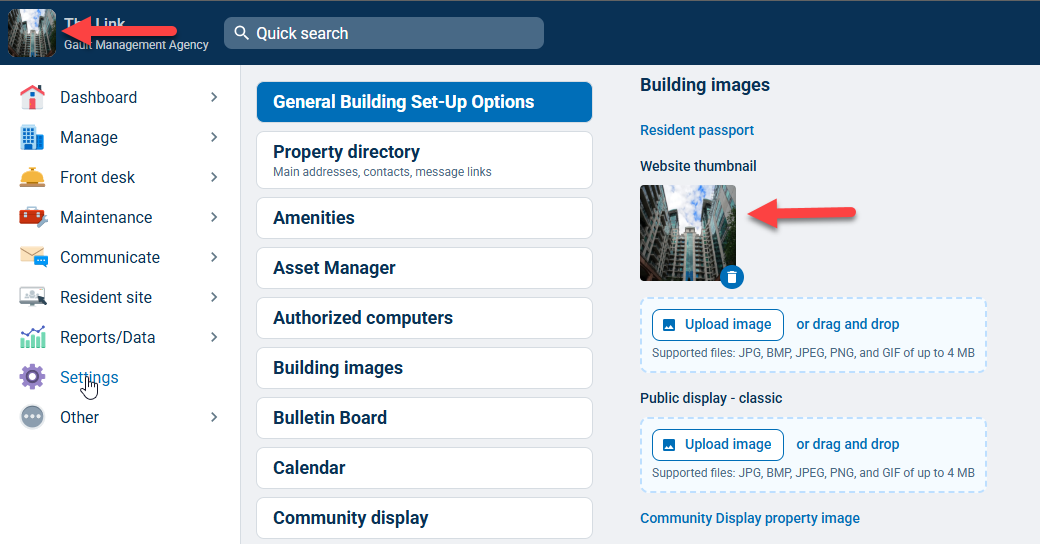
The Building Images module allows you to display an image in your staff and resident website header and on the Community Display or Public Display. You must have Management or Security Officer level authority to access Building Images.
Note: Click on the images to enlarge them.
Table of Contents
Adding Building Images
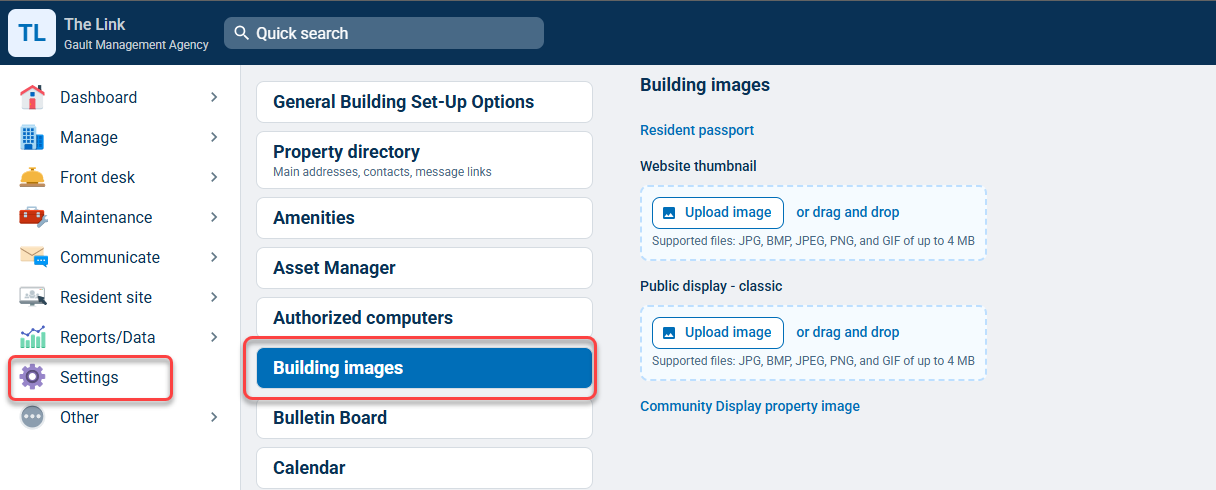
You can add Building Images by going to the Settings tab and selecting Building Images.
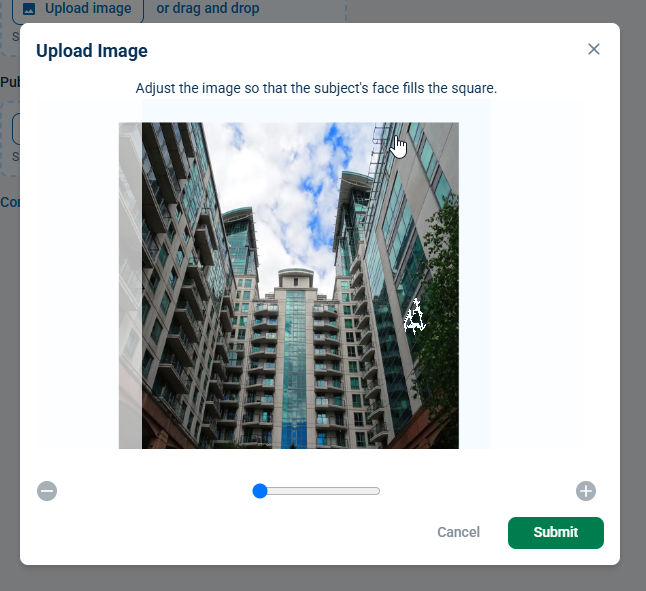
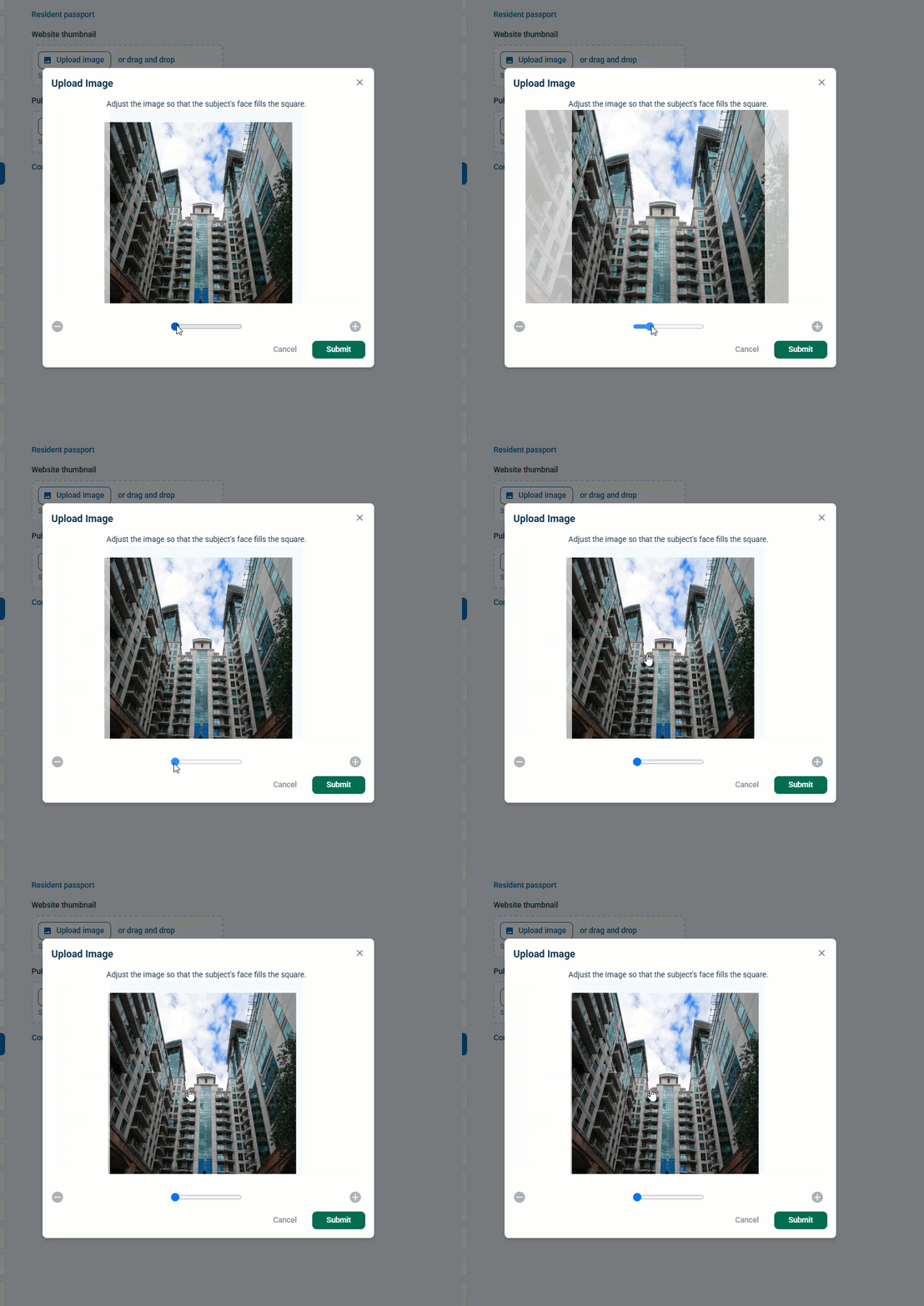
Next, click Upload image, or you can drag and drop an image from your files. Use the slider to adjust the image zoom or click, hold, and drag the image to reposition it. Click Submit.
Removing Building Images
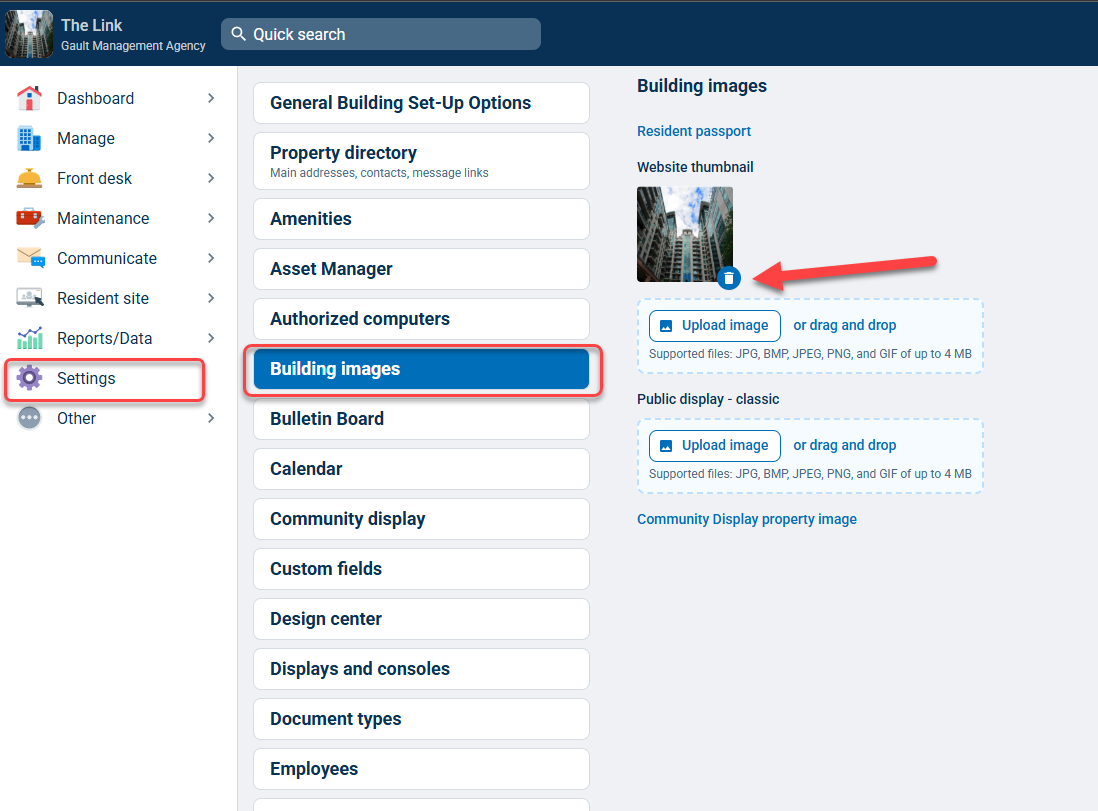
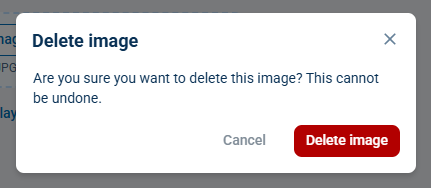
You can remove Building Images by going to the Settings tab and selecting Building Images. Next, click the trash can icon and, in the following pop-up window, click Delete image.