Note: This article is for the newly redesigned module. This updated module is in the process of being rolled out and may only be available to some users.
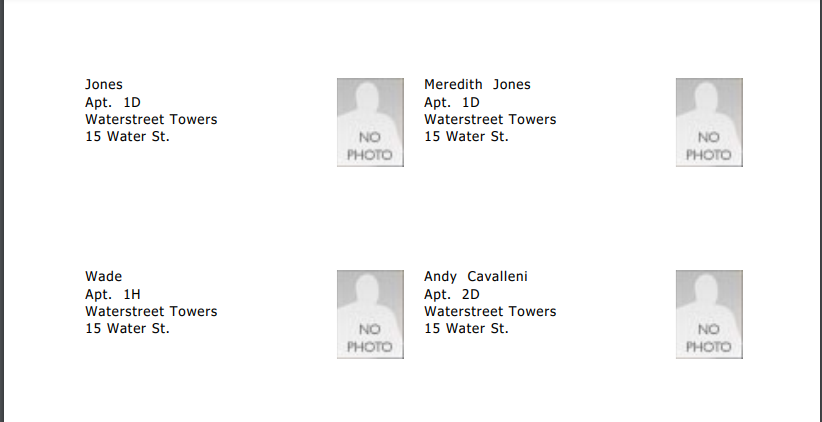
OverviewThe Occupant ID Cards feature allows properties to generate and locally print free ID cards for residents. The Occupant ID’s are helpful for identifying residents during employee strikes and other unusual circumstances. The IDs are formatted to be printed on standard 2" x 3.5" cardstock, Avery cardstock numbers 8371, 5376, or equivalent. |
Note: Click on the images to enlarge them.
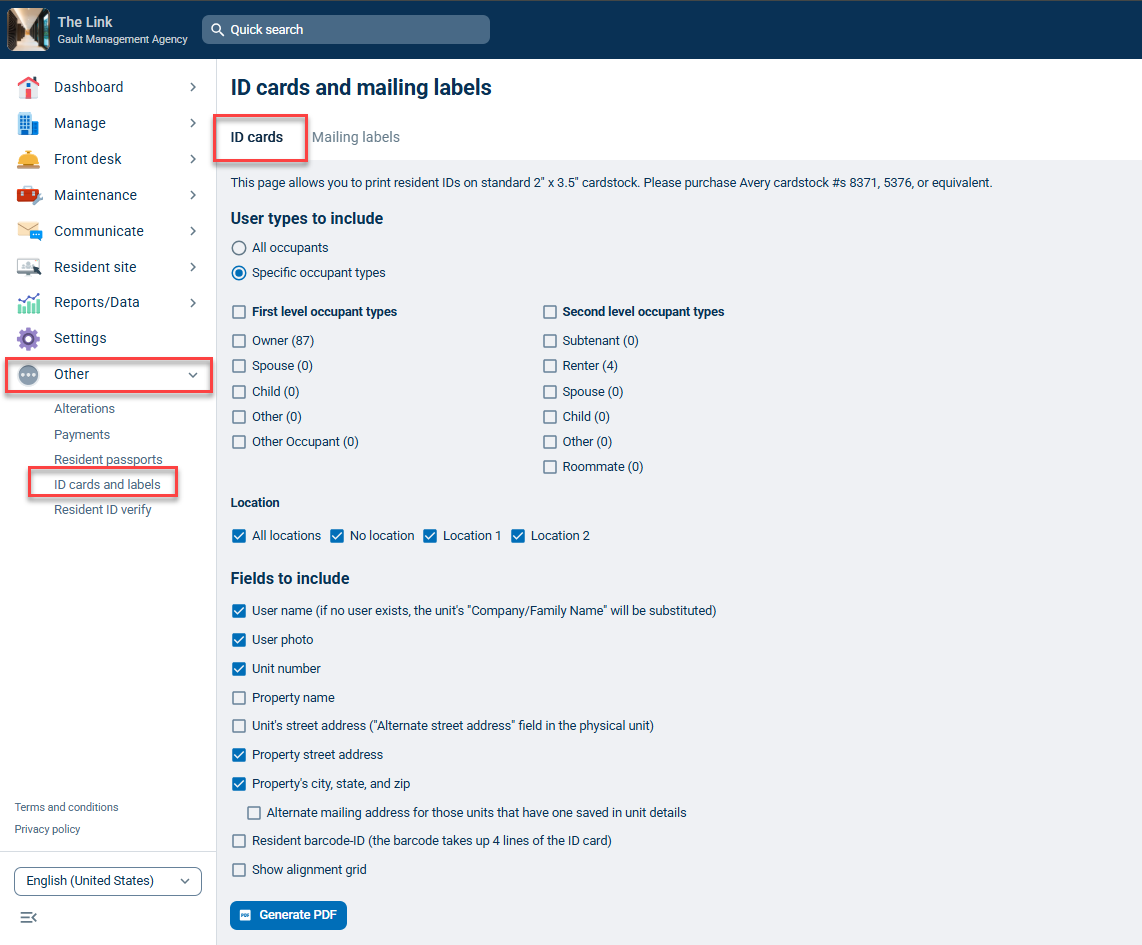
To create Occupant ID cards for your residents, from your Dashboard go to the Other tab and select ID cards and labels. From the Occupant ID Cards tab, select the occupant types you want to print ID cards.
User types to include: By default, All occupants are selected, but if you only want to print cards for a specific type of occupant (E.g., offsite owners), you can click Specific occupant types. If you have locations defined you will also be able to select those.
Fields to include: By Default User name, User photo, Unit number, and property address information are selected but you can change these. It's a good idea to include the name and resident photo at a bare minimum. Be sure occupants have a photo saved in the Official Resident Photo section of their profile.
When you are finished customizing your ID cards, simply click the Generate PDF button.