Overview
The Survey Questions feature allows residents to submit answers to survey questions from management through the BuildingLink resident portal. If you receive an email notification from management about a survey, click on the link, log in to BuildingLink, and go to the Survey section on your home page to respond.
Note: Click on the images to enlarge them.
Table of Contents
Submitting Survey Responses
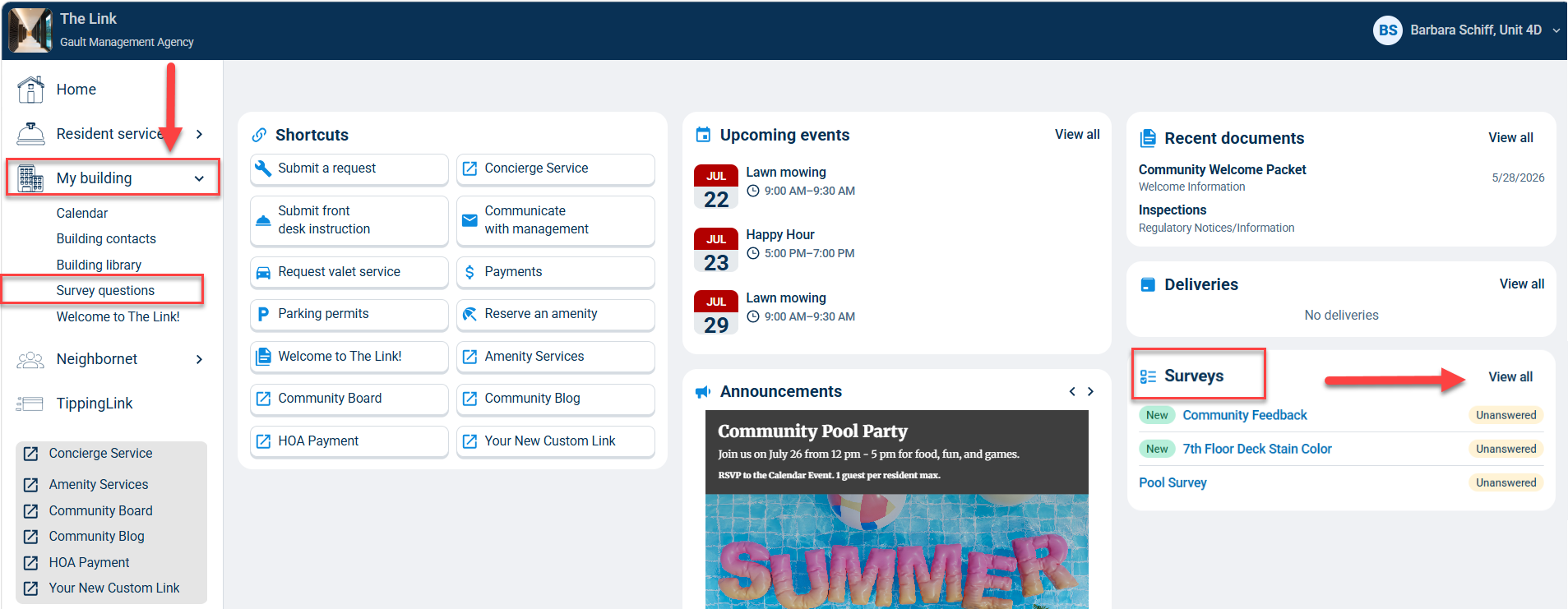
If your building has enabled residents to submit survey responses through BuildingLink, you'll see a list of available surveys on your dashboard and can click each one to respond. To go to the surveys page, click View all or click My building on the left and select Survey questions.
Note: Only surveys created in the past 7 days will be flagged as "New."
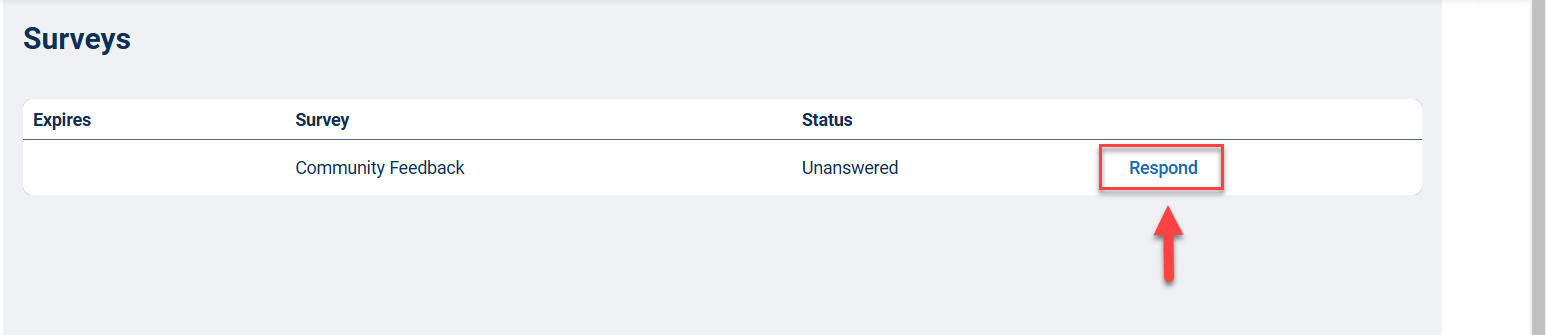
On the Surveys page, you will see all the active surveys you have already completed and any surveys still waiting for a response. To answer a survey, click the Respond link on the right of the survey row.
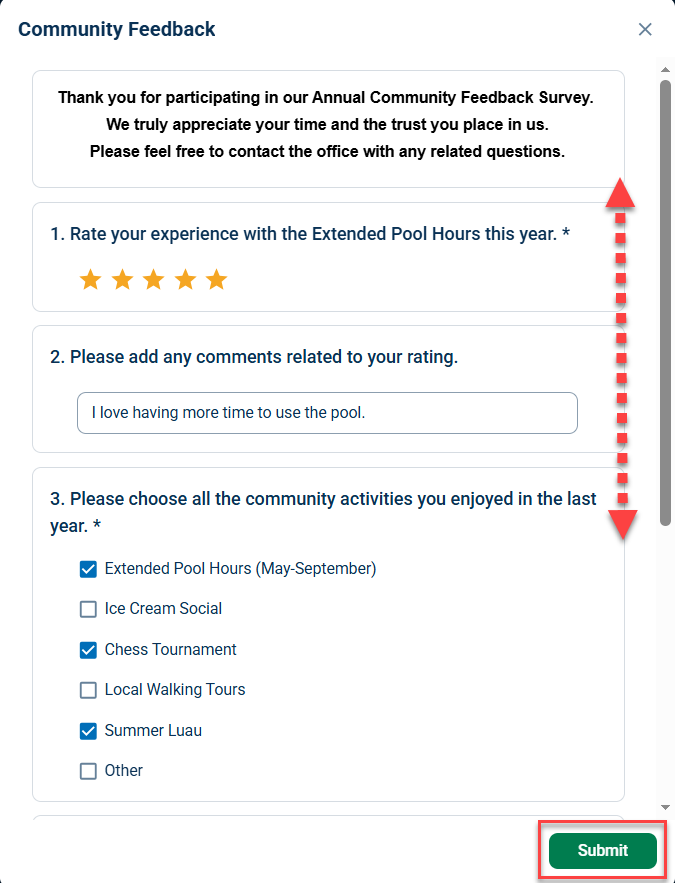
Next, fill in your responses and click the green Submit button at the bottom right. Once your survey is submitted, you will be taken back to the Surveys page.
Viewing and Changing Survey Responses
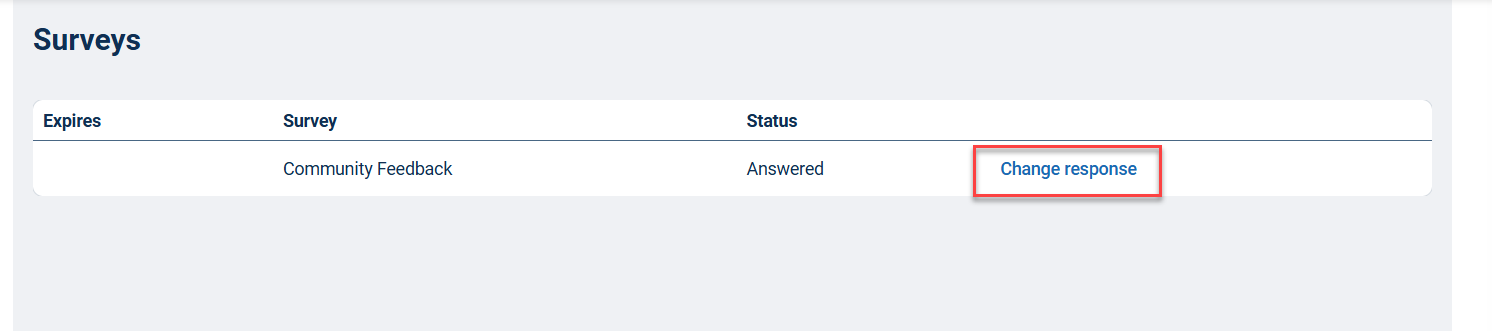
On the Surveys page, you will see all the active surveys you have already completed and any surveys still waiting for a response. Click the Change response link on the right of the survey row and follow the same steps for submitting responses as above.
Note: Once a survey has expired, it will no longer appear on this page. If you wish to update your response at that time, please contact your management team directly.