

Overview
Propositions are the items residents will vote on during a meeting. In BuildingBoard, you can add propositions to a meeting so owners can review and vote on each item. This article explains how to add propositions and manage multiple voting items within a meeting.
Note: Click on the images to enlarge them.
1. Navigate to the "Configurations" tab under the correct meeting.
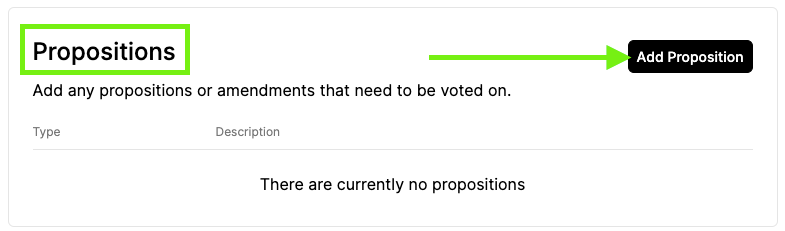
2. Scroll down to "Propositions."
3. Click "Add Proposition."
4. (Optional) Edit the type of Proposition if needed.
5. Add a description of the Proposition or Amendment.
6. (Optional) Edit the verbiage for the voting options "Accept/in favor of" and "Reject/against."
7. Click "Add."
8. Repeat for all propositions/amendments to vote on.
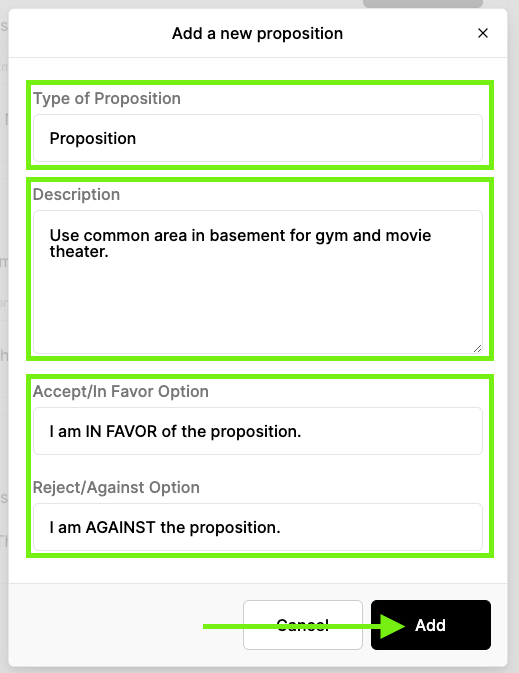
TABLE OF CONTENTS