Overview
Candidates are the individuals running for board positions during a meeting election. In BuildingBoard, you can add candidates to a meeting so residents can review candidate information and vote during the election. This article explains how to add candidates and include optional details such as candidate bios or incumbent status.
Note: Click on the images to enlarge them.
Adding Candidates to Your Meeting
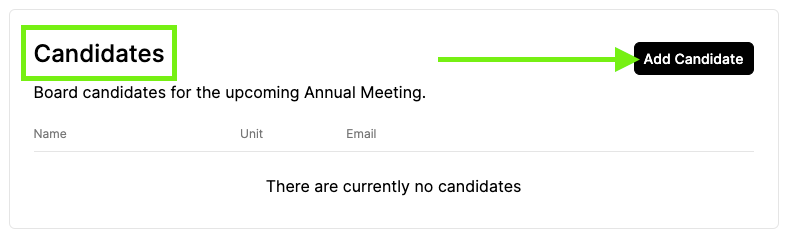
1. Under the "Configuration" tab, scroll down to the "Candidates" section.
2. Add all Board candidates by clicking "Add Candidate."
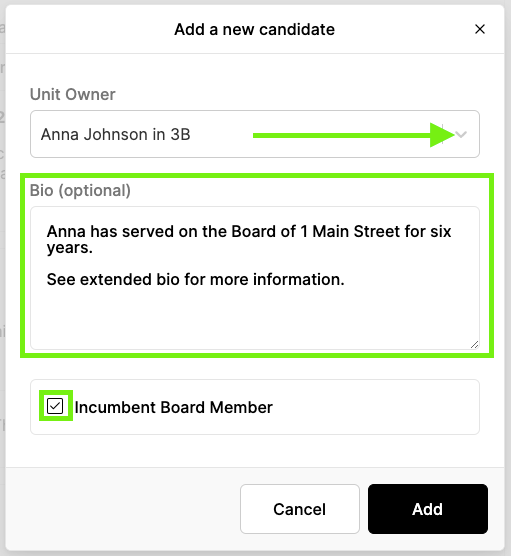
3. Select the Unit Owner from the drop-down.
4. Add in an optional short candidate bio. You can always attach an extended bio under "Documents."
5. Check the box if the candidate is an Incumbent Board Member. Incumbents are notated as a star next to the candidate name.