Overview
Your Property Management team may opt to use a separate video conferencing service, such as Zoom, for your Annual Meeting. If so, below are the instructions to walk you through how to vote via BuildingBoard.
Note that your property management team may opt to open voting prior to the meeting to encourage participation and reaching quorum. They will inform you if this is the case.
Note: Click on the images to enlarge them.
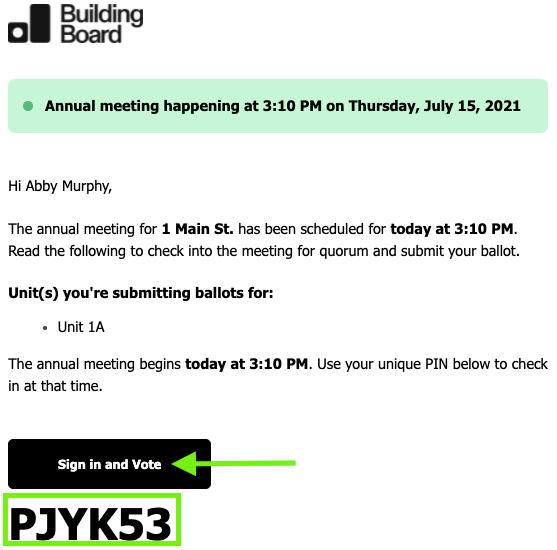
1. Locate your second notice from support@buildingboard.com and click "sign-in and vote." If you do not see it in your inbox, check your spam folders, or search for mail sent from: support@buildingboard.com.
2. Enter your unique PIN and click "check-in." Note it may take up to a minute to fully check in so do not navigate away from this screen or refresh your browser.
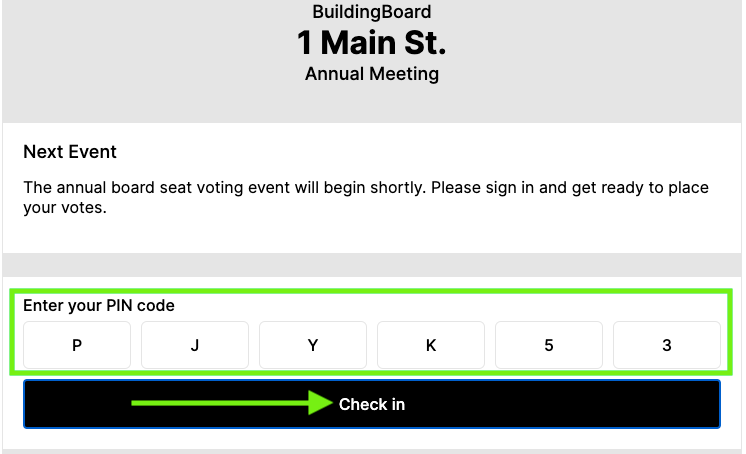
3. When you're checked in, you will be able to vote once your property manager enables voting. Again, your property management team may opt to open voting prior to the meeting to encourage participation and reaching quorum.
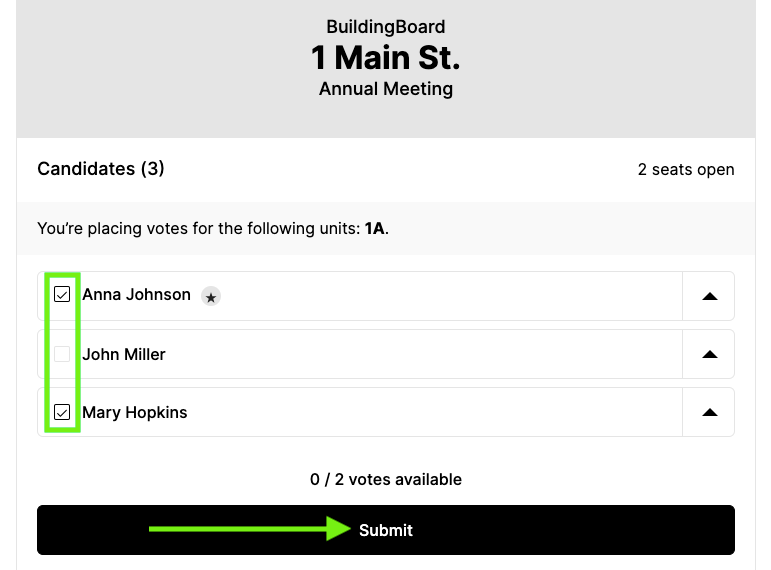
4. Cast your vote(s) and click "Submit." Again, note it may take up to a minute to fully check in so do not navigate away from this screen or refresh your browser.
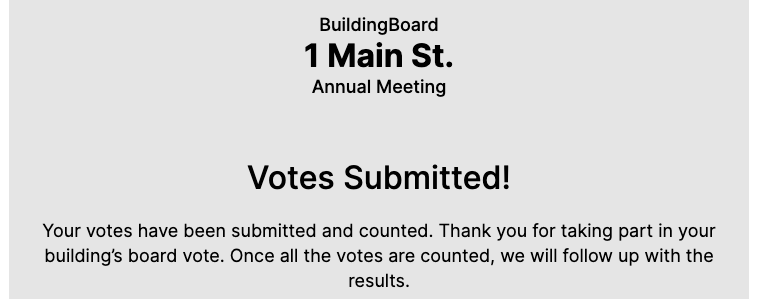
5. A confirmation message of your votes cast and received into the BuildingBoard system will display. You may now navigate away from this webpage.